Attendance and pupil cards
Roll call is done on the phone: every pupil is present by default, you only touch the exceptions. The pupil card, in the school's colours, is scanned with a phone at each checkpoint.
- Teacher
- Supervisor
- Secretariat
- Parent
What the module does
- Roll call per class: present, absent, late, excused; it feeds absence messages and the family space.
- Pupil cards in credit-card format (85.6 × 54 mm) for a PVC card printer or an ordinary printer, with photo and QR.
- Scan points (gate, bus, classroom, child pick-up, cash desk…): staff see in large letters whether the pupil may pass.
- At the gate, the scan marks the pupil present and can prepare the message to the parent.
- Every scan is recorded: checkpoint, place, time, person who scanned.
- Lost card: a new card replaces the old one, which is then refused when scanned.
- Anyone can check a card by scanning its QR with a phone camera.
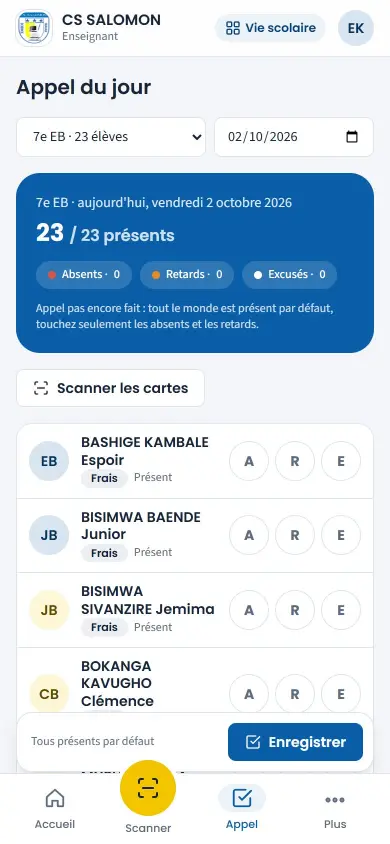
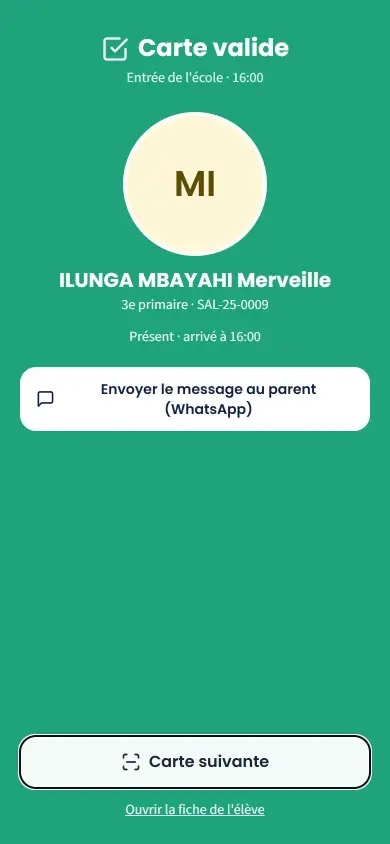
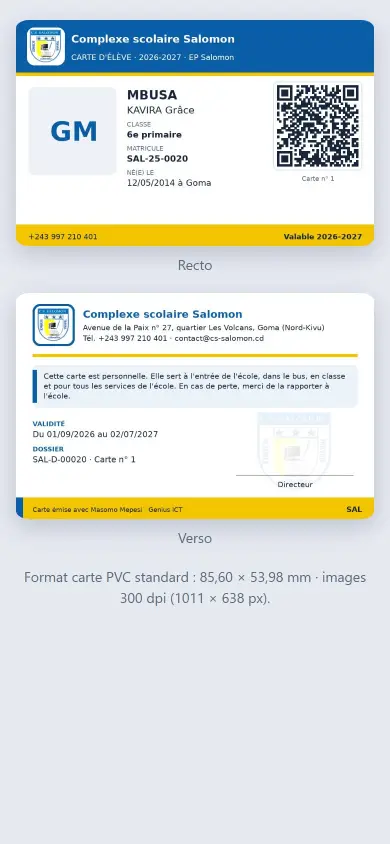
Screenshots taken on the manual's demonstration school (fictitious data). The interface is in French.
In the manual (Manual in French)
The manual describes every screen step by step, with screenshots on computer and on phone.
A question about this module?
Message Genius ICT on WhatsApp: your message is already written, you only have to send it.
Message us on WhatsAppSee Masomo Mepesi with the data of a real school.
Open the demonstration with the account of your choice (owner, cash desk, teacher, parent…), or message us: Genius ICT comes to present Masomo at your school.