Everyone sees what concerns them
By role
An account can combine several roles (the secretary also runs the cash desk, the head teacher teaches): its rights are the sum of its roles. What a teacher sees always depends on the courses actually assigned.
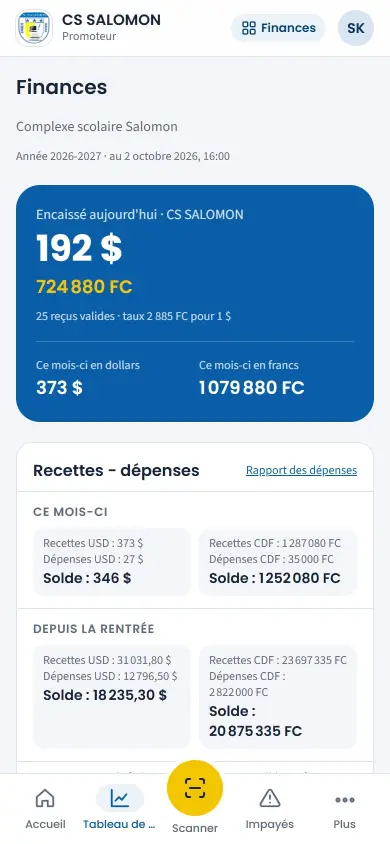
The school owner
He does not sign in every day, but wants to know from his phone how much came in and who has not paid.
- Financial dashboard: collected today and this month, per account and currency.
- Treasury: each account's balance, loans and outstanding amounts, read-only.
- Arrears and income − expenses, exportable.
- Comparative reports: enrolment, pass rates, national exams, overall ranking.
- All his schools in the same installation (school group).
- Report cards, deliberations and audit log in read-only.
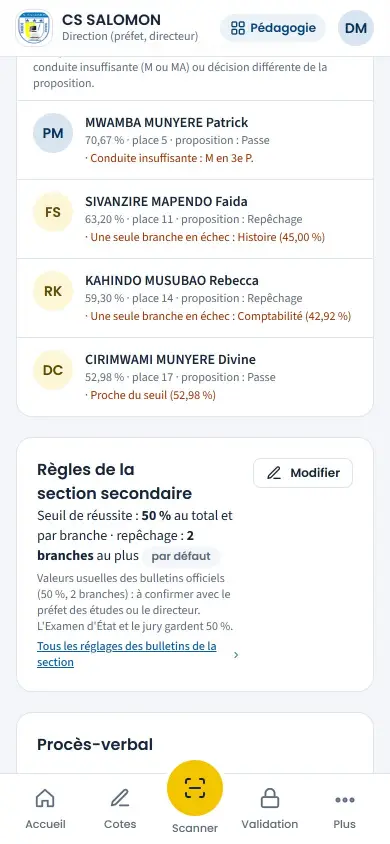
Management (prefect, head teacher)
Compliant documents, zero errors on report cards, up-to-date lists.
- Grade validation, report cards and rankings.
- Deliberation, minutes, proclamation, resit.
- Overall ranking, pass rate by section, absences and lateness, national exams: as PDF on the school's letterhead.
- Timetable for every class, curriculum progress.
- Discipline: reprimand, suspension, summoning parents.
- Staff permissions and leave; the head of school in office has the administration's rights over their sections.
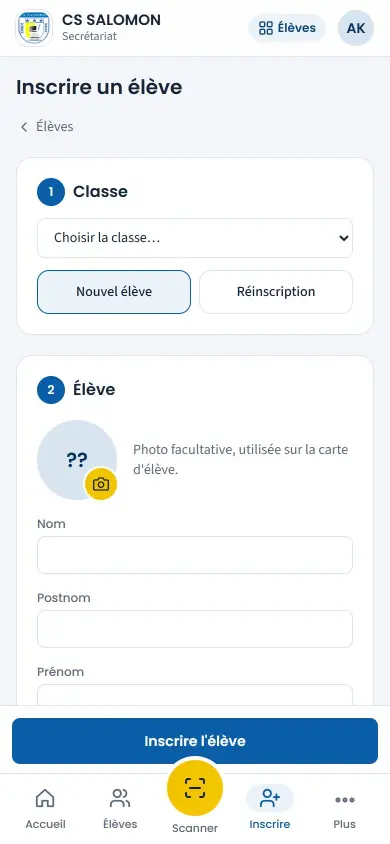
Secretariat and cash desk
Those who spend the most time in the software: often one person for everything.
- Quick enrolment, import of Excel lists, pupil cards.
- Collection in francs or dollars, immediate receipt, cash closing.
- Pre-registrations from the school website.
- Numbered attestations, WhatsApp and SMS messages to parents.
- Reception of in-kind contributions.
- A home screen with “Collect” and “Scan” at hand, and their favourites.
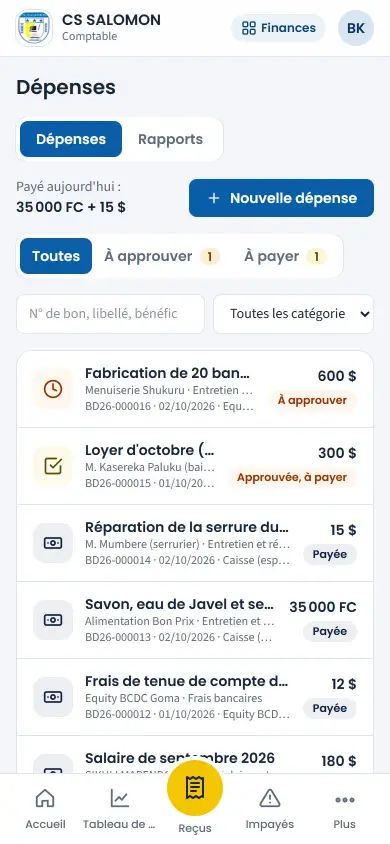
The accountant
The one who checks the money, without being the one who receives it.
- Receipt checks, bank and mobile money payments ticked against statements.
- Reasoned cancellation of a wrong receipt.
- Fee and rate proposals, approved by the administration.
- Treasury: transfers between accounts, other income, loans and repayments, salary advances.
- Expenses and monthly payroll to prepare.
- Printable financial log.
The teacher
Little time, an entry-level Android smartphone, sometimes no data credit.
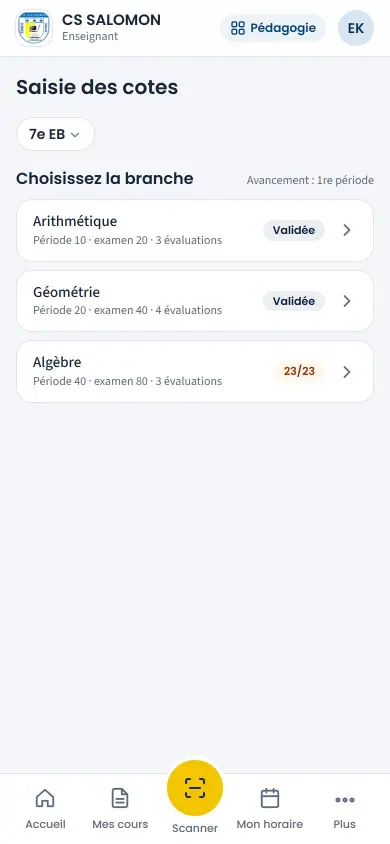
- Grades entered on the phone, even without network, or on the Excel sheet.
- Class roll call in seconds.
- “My courses”, course plan, lesson log, “My timetable”.
- Discipline incidents reported in thirty seconds.
- Own attendance and payslips.
The educator (crèche and nursery)
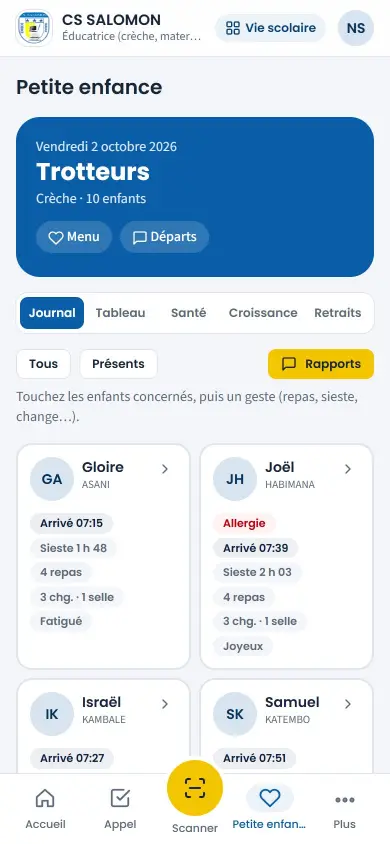
A phone in one hand, a child in the other.
- Daily log for one child or the whole group in one gesture.
- Meals, naps, changes, temperature, medicines, incidents.
- Group board with reminders.
- Pick-ups: who is allowed to leave with the child.
- Nursery assessment on the official report card.
The parent
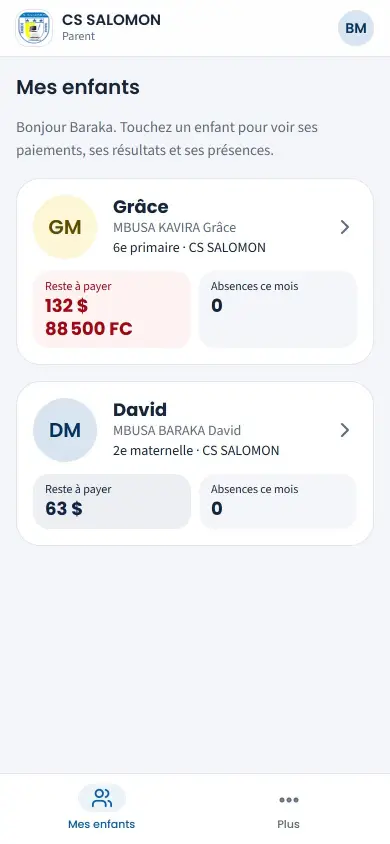
Wants to know whether the child is at school, what is owed, the results, and to be treated with respect.
- Messages from the school by WhatsApp or SMS, in their language; receipts with the amount in words.
- Alerts on their phone with the Family app.
- Family space: balance due, receipts, report cards, attendance, timetable, card.
- Their child's day at the crèche, as soon as it is written.
- Their child's discipline file, appeal after the deliberation.
- Online pre-registration, without travelling.
See Masomo Mepesi with the data of a real school.
Open the demonstration with the account of your choice (owner, cash desk, teacher, parent…), or message us: Genius ICT comes to present Masomo at your school.