Staff, attendance and payroll
Each staff member scans their staff card on arrival and departure. These figures feed the attendance report and the payroll, which the administration configures entirely: pay elements, currency, paying account, effect of absences.
- Administration
- Accountant
- Attendance manager
- All staff
What the module does
- Staff records (position, SECOPE number, qualification, hiring date) and QR staff cards.
- Two times kept: the scan time, never changed, and the retained time, adjustable by the person in charge (morning queue).
- Attendance report over any period, as a summary or day by day: attendance, lateness, justified or unjustified absences, permissions, leave; PDF and Excel.
- Permissions and leave requested from “My attendance”, decided by management, with a balance per leave type.
- Salary sheets, bonuses, allowances, salary advances deducted month after month.
- Monthly payroll calculated in minutes, approved by the administration, then paid like an expense.
- Detailed payslip (net in figures and words, social security, year-to-date totals, leave earned and remaining) and payroll statement; each staff member finds their payslips in “My payslips”.
- Staff departure: everything they held (classes, courses) is shared among replacements; dated interims.
- Heads of school: who runs each section and since when, successor, acting head, handover report; the head in office receives the administration's rights over their sections.
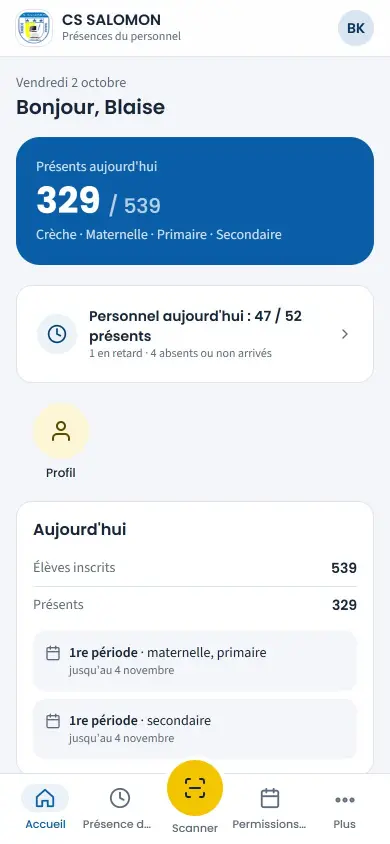
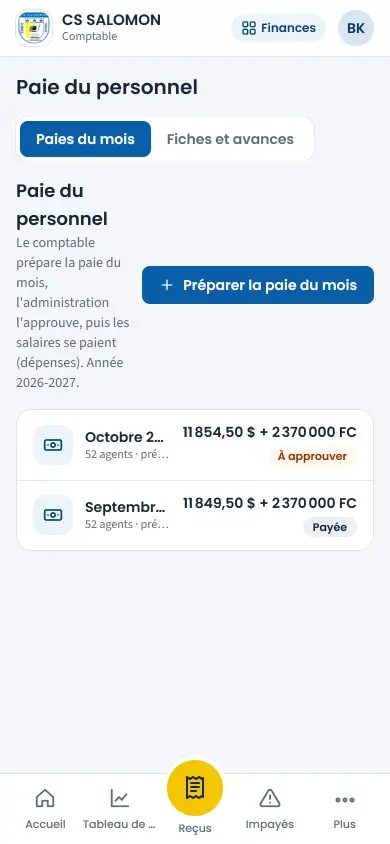
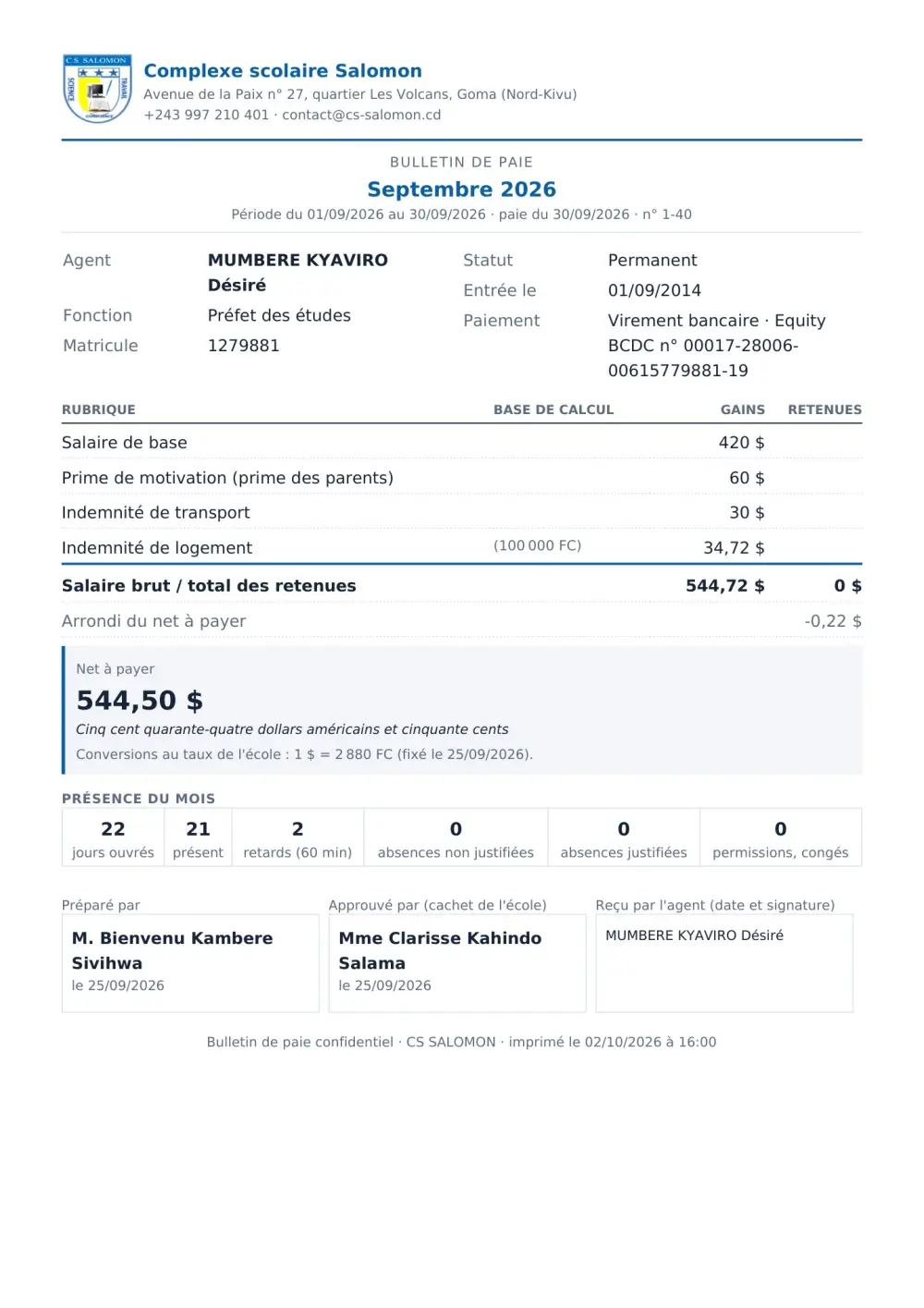
Screenshots taken on the manual's demonstration school (fictitious data). The interface is in French.
In the manual (Manual in French)
The manual describes every screen step by step, with screenshots on computer and on phone.
A question about this module?
Message Genius ICT on WhatsApp: your message is already written, you only have to send it.
Message us on WhatsAppSee Masomo Mepesi with the data of a real school.
Open the demonstration with the account of your choice (owner, cash desk, teacher, parent…), or message us: Genius ICT comes to present Masomo at your school.