Printable comparative reports
Inspectors, the school owner and parents' meetings ask for figures. Masomo draws them from what the school records every day and compares them with the previous period and past years: for the school, a section, a class or a pupil.
- Management
- Director of studies
- Administration
- Owner
- Form teacher
What the module does
- Overall ranking: the best pupils across several classes at once, for the school, a section, a level or an option, girls or boys, above a threshold; for prize-giving, awards and scholarships.
- Pass rate by section: passed, resits, failures, drop-outs and end-of-year averages, compared year after year.
- National exam results (ENAFEP, TENASOSP, State Exam): registered, present, passed, pass rate and average.
- Enrolment: boys and girls, ages, options, new and returning pupils, arrivals and departures during the year, trends over several years.
- Absences and lateness: attendance rate, justified or unjustified absences, lateness and suspensions, by day, week, month, term or year.
- PDF on the school's letterhead, on-screen printing with the header, Excel for enrolment and absences.
- Form teachers see their own class's report; with several schools, the owner compares them.
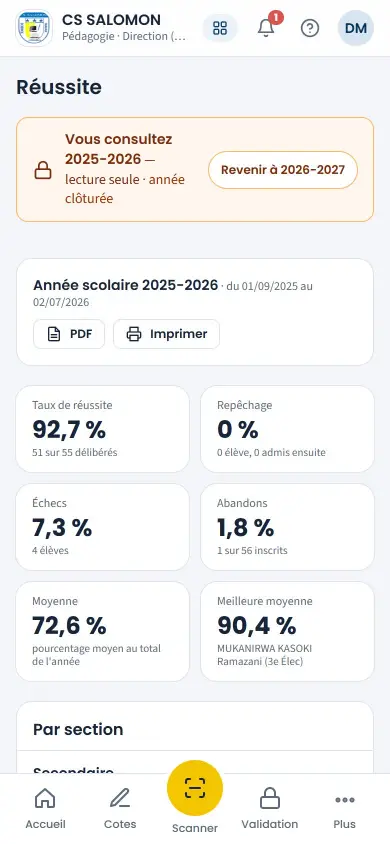
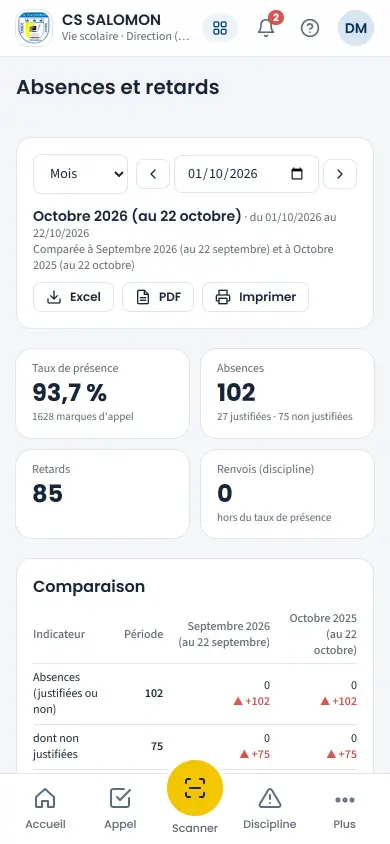
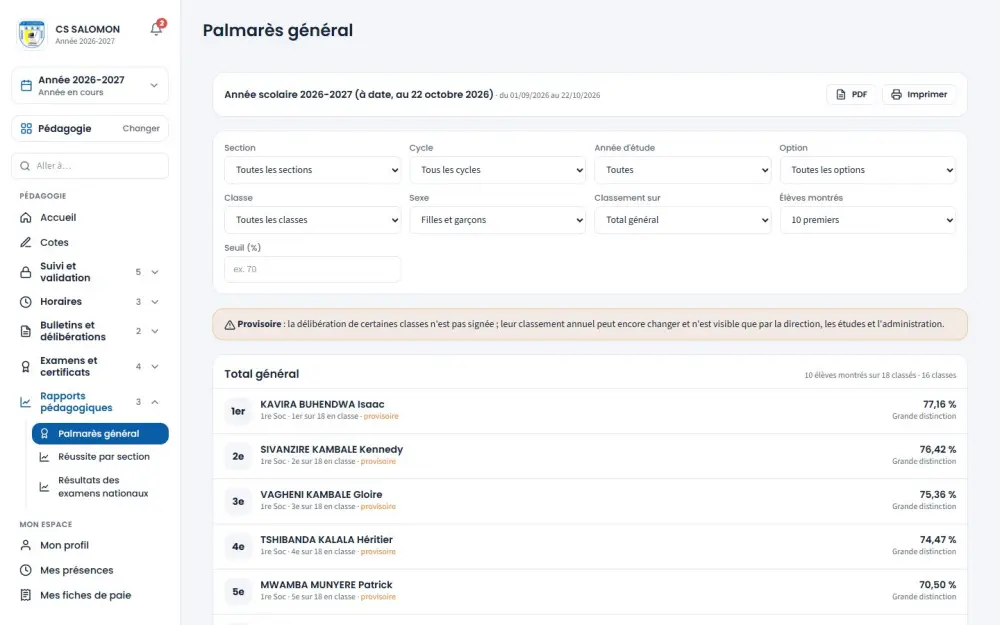
Screenshots taken on the manual's demonstration school (fictitious data). The interface is in French.
In the manual (Manual in French)
The manual describes every screen step by step, with screenshots on computer and on phone.
A question about this module?
Message Genius ICT on WhatsApp: your message is already written, you only have to send it.
Message us on WhatsAppSee Masomo Mepesi with the data of a real school.
Open the demonstration with the account of your choice (owner, cash desk, teacher, parent…), or message us: Genius ICT comes to present Masomo at your school.