Installable apps, even without network
Masomo works in the browser, on computer and phone, without installing anything. It can also be installed as an app, with its icon on the home screen, without going through an app store.
- Parent
- Pupil
- Teacher
- Educator
- Administrative staff
What the module does
- Family (parents and pupils), Teachers (teachers and educators) and Management (management, secretariat, cash desk, accounting, administration).
- Name and icon in the colours of the school or the group.
- At first sign-in, preferably on Wi-Fi, the app prepares the account's pages for offline reading.
- Without network, everything can be read (payments, receipts, report cards, attendance, timetable) as of the last update; saving waits for the network.
- Grades entered offline are sent automatically when the network comes back.
- Alerts on the phone; data kept on the device is wiped at sign-out.
- Android (Chrome) and iPhone (Safari, “Add to Home Screen”).
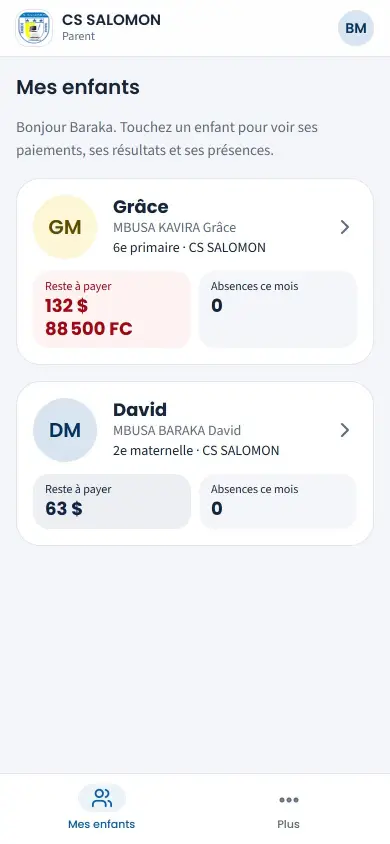
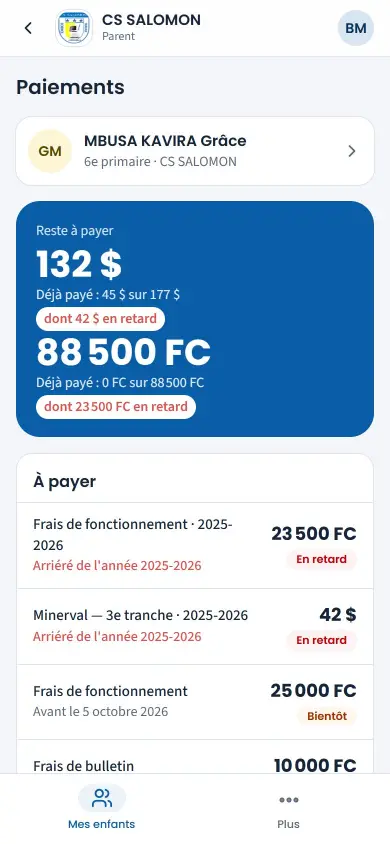
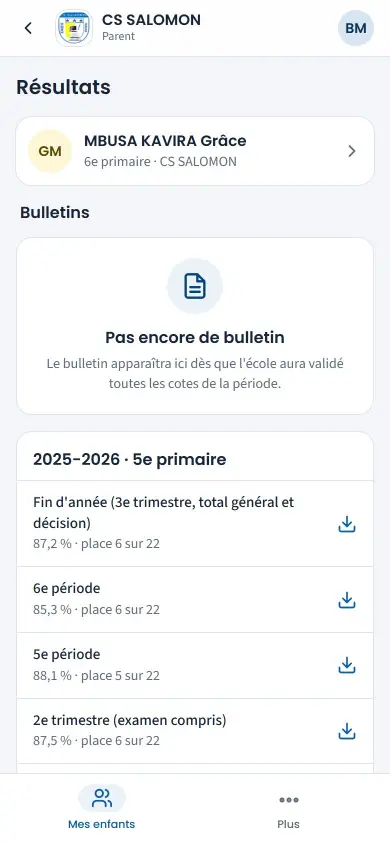
Screenshots taken on the manual's demonstration school (fictitious data). The interface is in French.
In the manual (Manual in French)
The manual describes every screen step by step, with screenshots on computer and on phone.
A question about this module?
Message Genius ICT on WhatsApp: your message is already written, you only have to send it.
Message us on WhatsAppSee Masomo Mepesi with the data of a real school.
Open the demonstration with the account of your choice (owner, cash desk, teacher, parent…), or message us: Genius ICT comes to present Masomo at your school.