Home, favourites and alerts
Every account opens Masomo on its home screen: a banner in the school's colours, a card with three key figures and two large buttons, then quick actions, favourites, “To do” and announcements. The essentials of the day, without searching.
- All staff
- Parent (alerts)
What the module does
- Figures and buttons by role: “Collect” and “Scan” for the cash desk, “Dashboard” and “Unpaid fees” for the accountant, “Enter grades” and “Take the roll” for teachers.
- Today's takings in dollars and francs, hidden by default: one tap on the eye shows them.
- Favourites: up to 8 pinned screens, taken from all your spaces.
- The “To do” bell: pre-registrations, grades to validate, requests, expenses and payrolls to approve, leave, receipt cancellations, low message credits. Everyone only sees what concerns them.
- After every action, a clear notification: success disappears on its own, a warning stays until it is closed.
- Alerts on the phone of parents who installed the Family app: receipts, report cards, absences and lateness, the crèche day, with or without details.
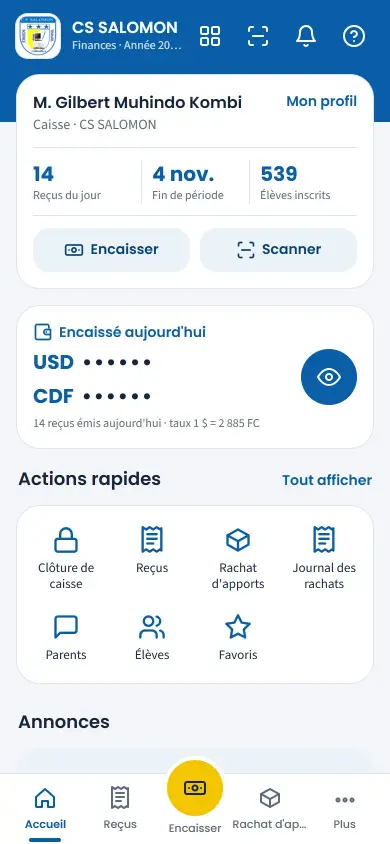
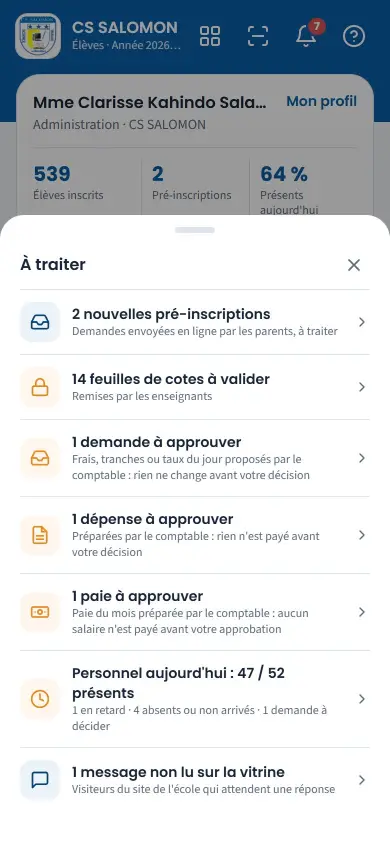
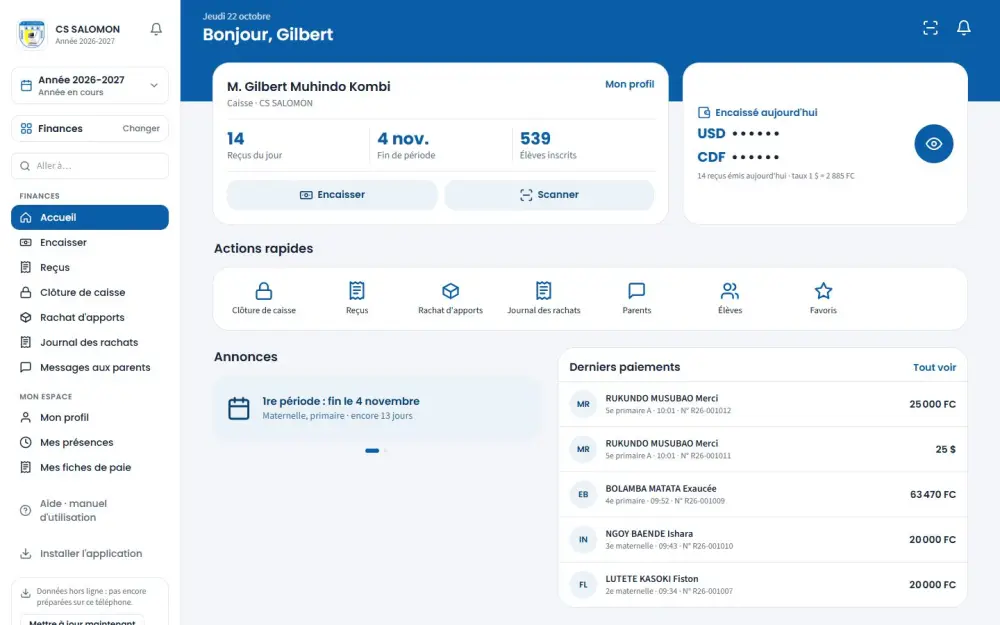
Screenshots taken on the manual's demonstration school (fictitious data). The interface is in French.
In the manual (Manual in French)
The manual describes every screen step by step, with screenshots on computer and on phone.
A question about this module?
Message Genius ICT on WhatsApp: your message is already written, you only have to send it.
Message us on WhatsAppSee Masomo Mepesi with the data of a real school.
Open the demonstration with the account of your choice (owner, cash desk, teacher, parent…), or message us: Genius ICT comes to present Masomo at your school.